Grid — Spreadsheets
The Grafos spreadsheet. It opens and saves .xlsx in the ECMA-376 format and recalculates on your machine.
Edit cells
F2 edits the cell; Enter commits and moves down; Esc cancels. Fill down or right. Jump straight to a cell or range.
Where:F2 / Enter / Esc · Ctrl+D and Ctrl+R · F5 (Go to)
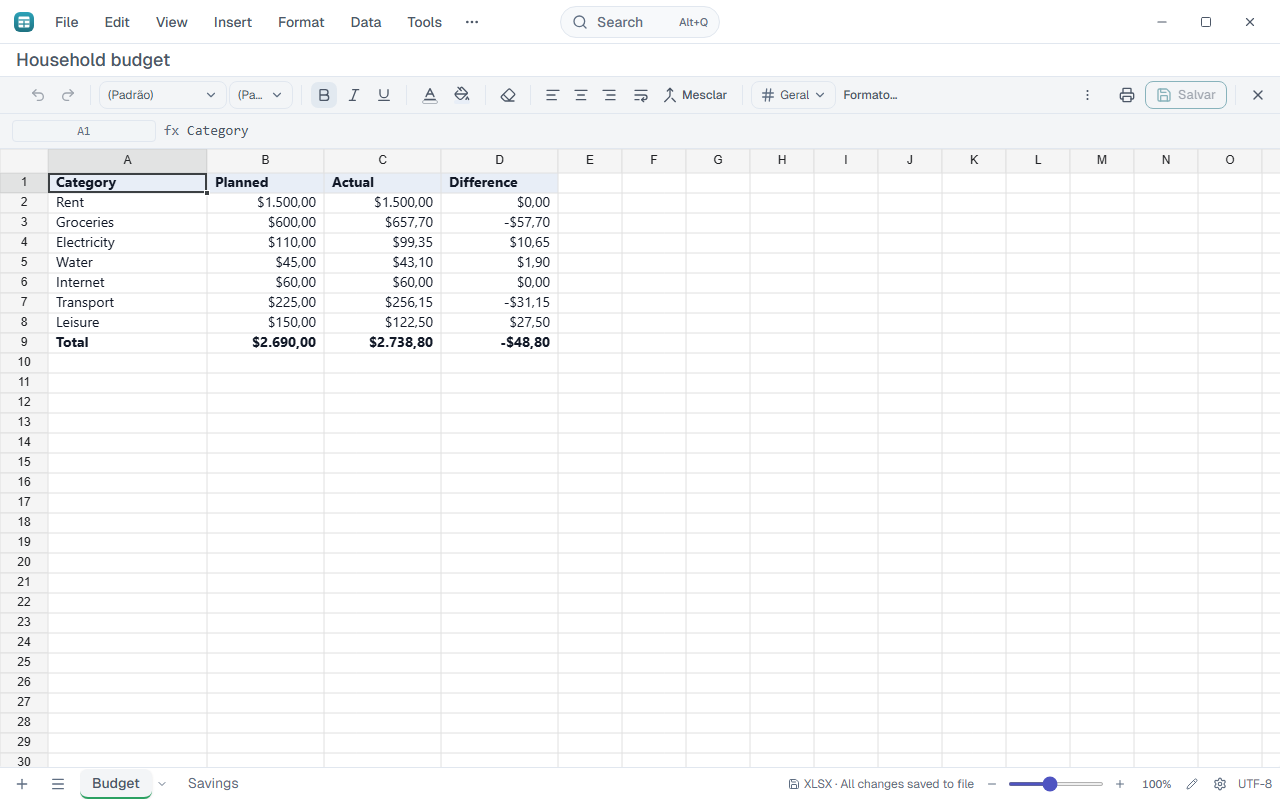
Rows and columns
Insert and delete rows and columns, change height and width, hide and unhide. Select the whole column or row from the keyboard.
Where:Insert › Insert rows above · Insert › Insert columns left · Right-click a cell or header · Ctrl+Space and Shift+Space
Formulas
The formula bar suggests functions and shows their syntax. AutoSum, absolute references with F4 and recalculation with F9. Name ranges and choose how to calculate.
Where:Formula bar · Insert › AutoSum · Alt+= · Insert › Named range… · Tools › Calculation options…
Number formats
Currency, accounting, percentage, thousands separator, date and decimal places. Format cells gathers every option.
Where:Format › Number · Toolbar › currency / % / 000 · Format › Number › More number formats…
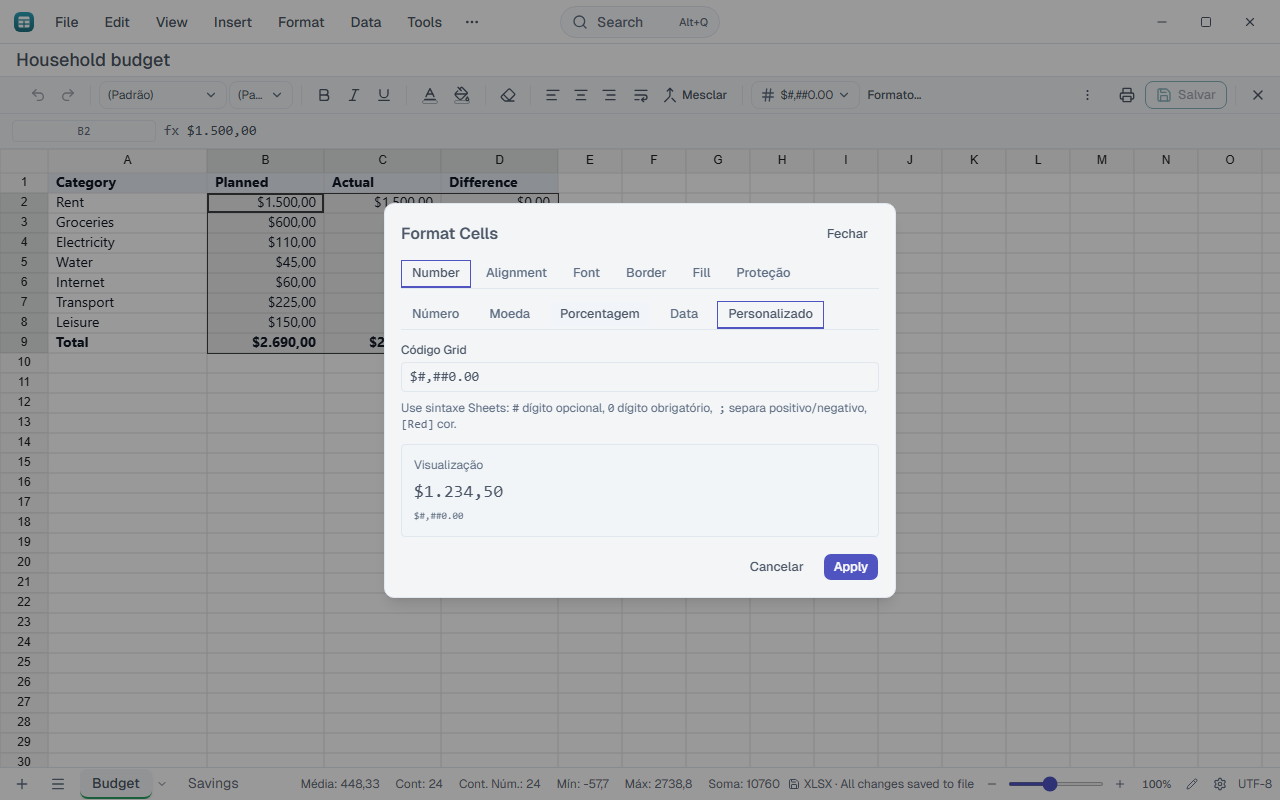
Cell appearance
Font, text colour, fill, borders and alignment. Merge cells, wrap text and copy formatting with the painter.
Where:Toolbar · Format › Text · Format › Merge cells · Format › Wrap text · Format › Format painter
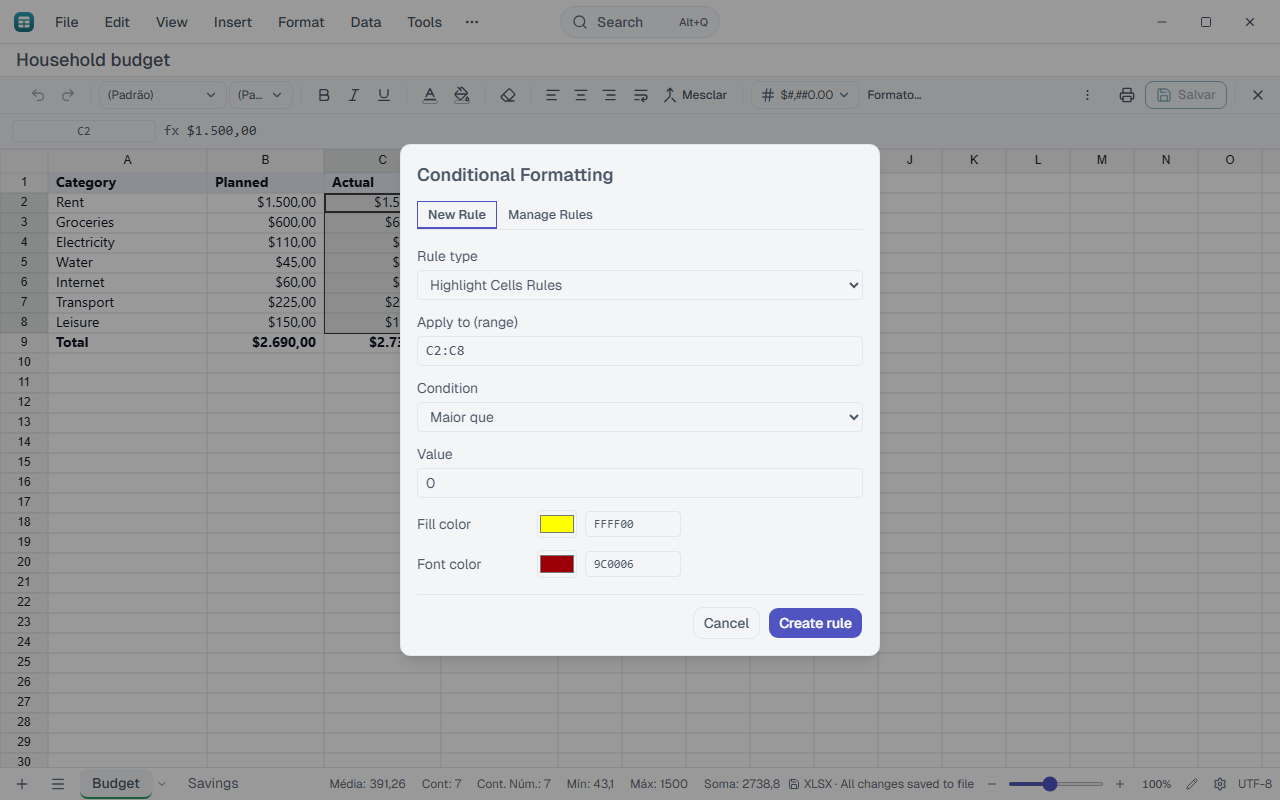
Conditional formatting
Highlight cells by rule: values, duplicates, top and bottom, data bars, colour scales and icons. Manage the rules in the same window.
Where:Format › Conditional formatting…
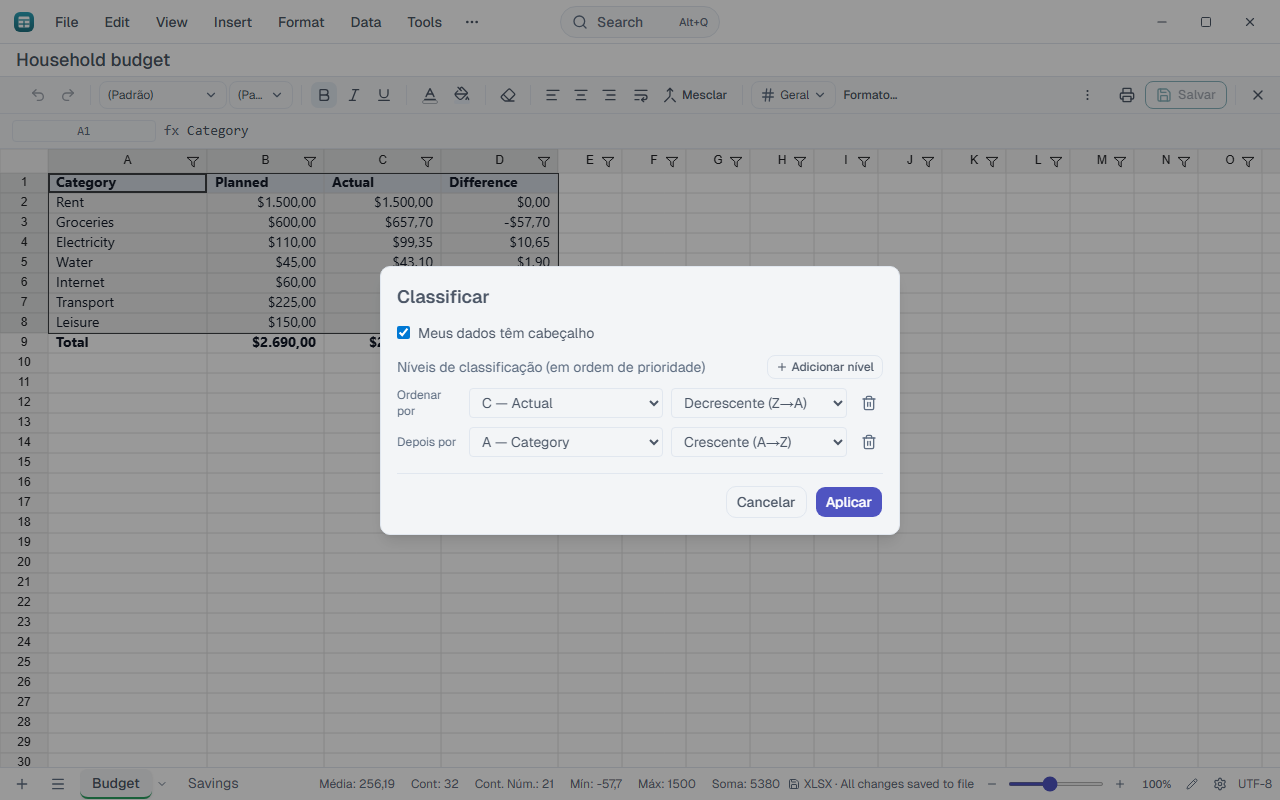
Sort and filter
Sort by several levels. Filter by column. Use slicers and a timeline to filter with buttons.
Where:Data › Sort and filter · Toolbar › Create filter
Data tools
Data validation, remove duplicates, text to columns, flash fill, consolidate and subtotals.
Where:Data › Data tools
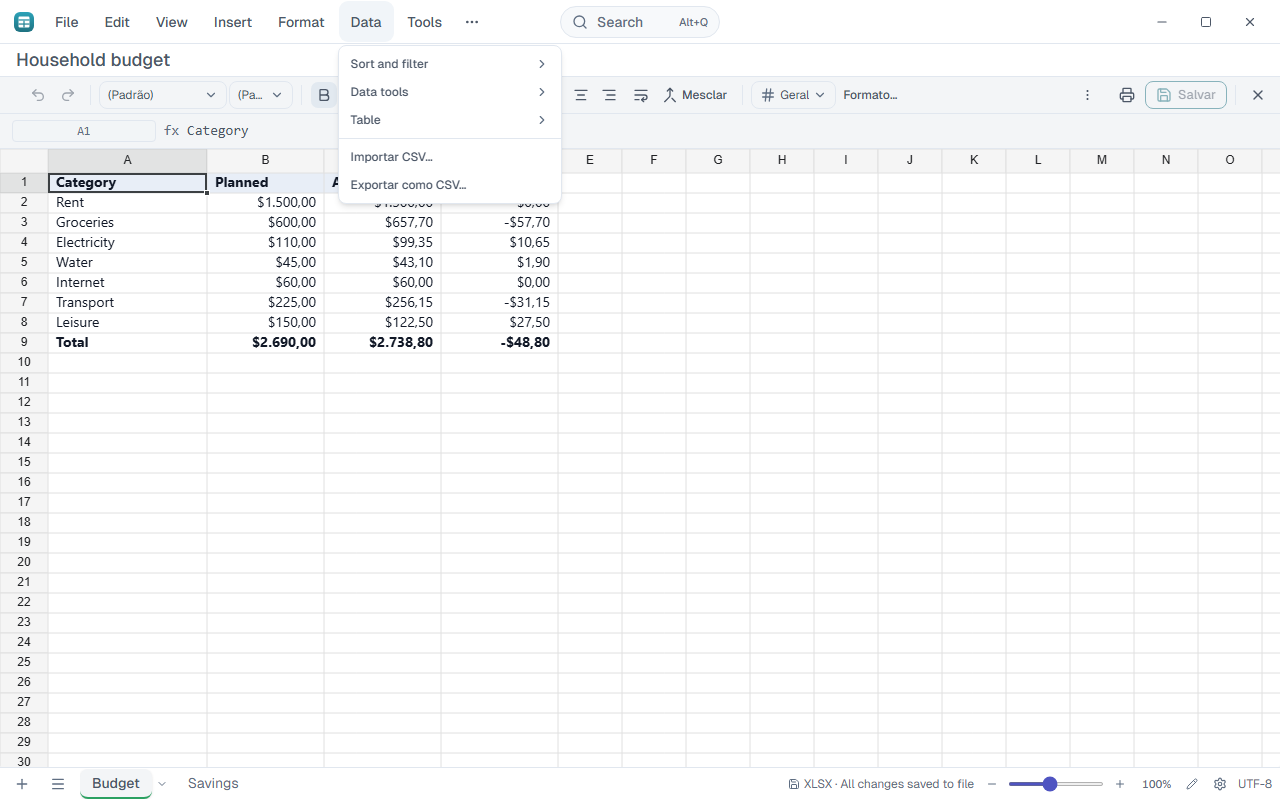
Tables
Turn a range into a styled table and add a totals row.
Where:Data › Table › Format as table… · Data › Table › Insert totals row
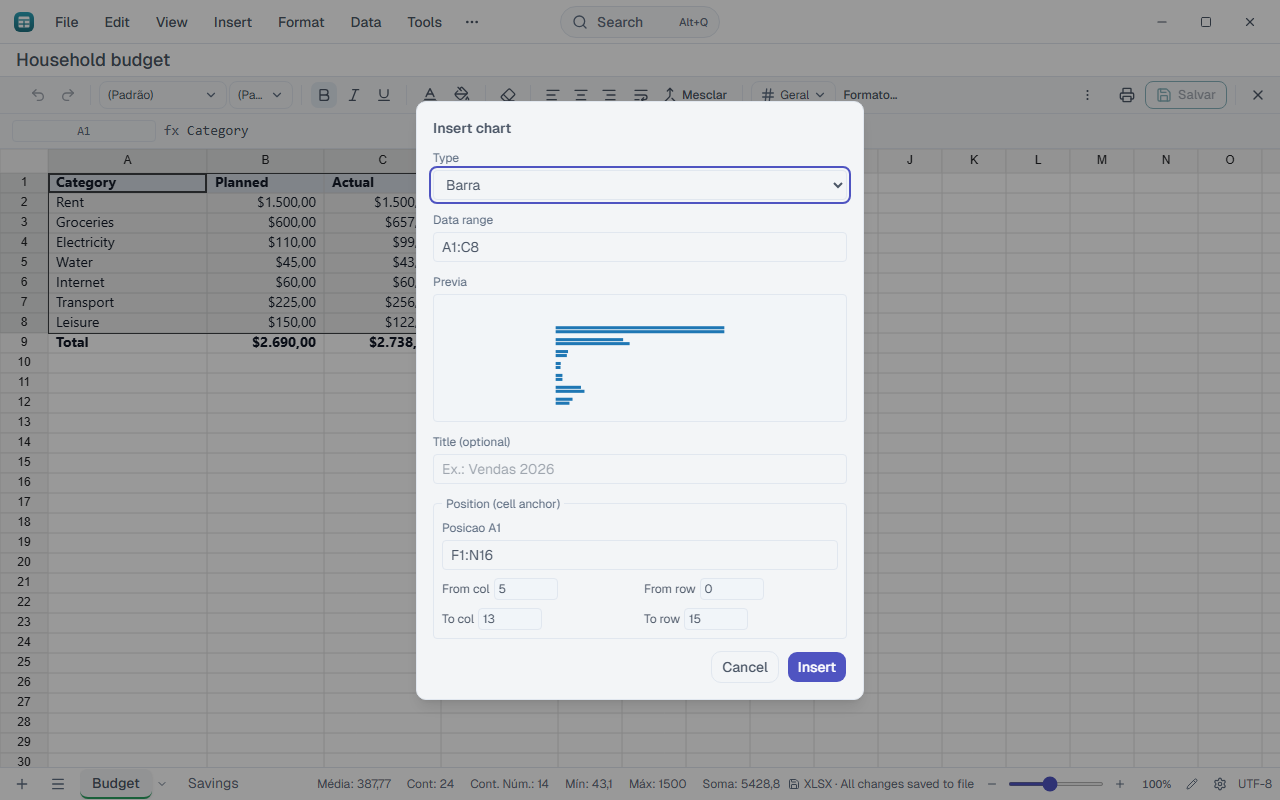
Charts and sparklines
Create charts from the selection. Select the chart to edit its title and options. Sparklines fit inside a cell.
Where:Insert › Chart… · Toolbar › ⋮ › Sparkline
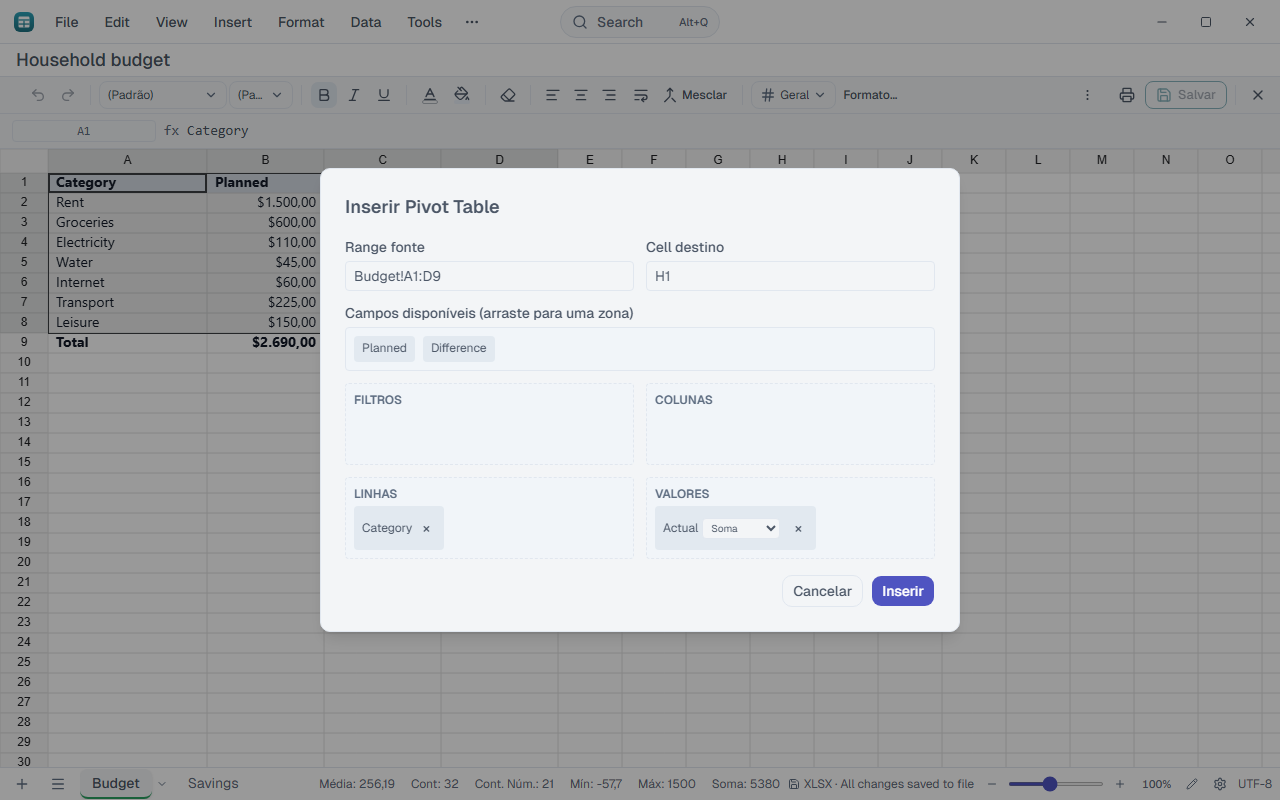
Pivot tables
Summarise a large table: group and total without formulas.
Where:Insert › Pivot table…
Analysis
Goal seek finds the input for a result. Solver optimises under constraints. The scenario manager compares sets of values.
Where:Tools › Goal seek… · Tools › Solver… · Tools › Scenario manager…
Copy and paste
Paste without formatting pastes values only. Paste special chooses values, formulas or formats, transposes and applies an operation.
Where:Edit › Paste without formatting · Ctrl+Shift+V · Edit › Paste special… · Ctrl+Alt+V
Links and comments
Put a link or a comment on the active cell.
Where:Insert › Link… · Insert › Comment… · Right-click the cell
Sheet tabs
Add, rename, colour, hide, move or copy sheets. The list of all sheets sits in the button next to the tabs.
Where:Bottom bar · Right-click the tab
View
Freeze rows and columns, split the window, show or hide gridlines and preview page breaks.
Where:View › Freeze panes · View › Split · View › Gridlines · View › Page break preview
Status bar
Sum, average, count, minimum and maximum of the selection. Right-click to choose what shows.
Where:Status bar
Form controls
Checkbox, button and combo box inside the sheet.
Where:Toolbar › ⋮ › Controls
Protect
Protect the sheet with a password. Protect the workbook structure.
Where:Tools › Protect sheet… · Toolbar › ⋮ › Protect workbook
Print, PDF and CSV
Set up the page and print. Export PDF. Import and export CSV.
Where:Toolbar › ⋮ › Page setup · File › Print… · File › Export › PDF… · Data › Import CSV… · Data › Export as CSV…
Large files
The visible sheet loads first and the rest in the background. The grid appears before the whole workbook finishes.
Grid shortcuts
| Keys | What it does |
|---|---|
| F2 | Edit active cell |
| Enter | Commit edit / move down |
| Esc | Cancel the cell edit |
| Ctrl+D | Fill down |
| Ctrl+R | Fill right |
| F5 | Go to cell/range |
| F9 | Calculate now |
| Alt+= | AutoSum |
| F4 | Toggle absolute reference ($) |
| Ctrl+Space | Select whole column |
| Shift+Space | Select whole row |
| Ctrl+Shift+V | Paste values only |
| Ctrl+Alt+V | Paste special… |
| Ctrl+N | New document |
| Ctrl+O | Open file |
| Ctrl+S | Save |
| Ctrl+Shift+S | Save as… (also F12) |
| Ctrl+P | |
| Ctrl+Shift+E | Export PDF |
| Ctrl+Z | Undo |
| Ctrl+Y | Redo (also F4) |
| Ctrl+F | Find |
| Ctrl+H | Find and replace |
| Alt+Q | Command bar |
| Ctrl+Shift+P | Command palette |
| Ctrl+Shift+N | New window |
| Ctrl+, | Settings |
| F1 | Help |
| Ctrl+/ | All shortcuts |